Home automation systems using microcontroller is one of the fastest-growing fields in embedded systems and electronics. Thanks to advancements in wireless communication technologies and affordable embedded platforms, Now we can be able to remotely control household appliances using smartphones, tablets, and computers. Smart home automation in todays world offers increased convenience, enhances energy efficiency, boosts security, and reduces human effort, making it an ideal choice for modern living.( More projects )
Traditionally controlling home appliance.
In traditional homes, electrical appliances like lights, fans, and water pumps are typically controlled manually. This often results in unnecessary electricity usage, water wastage, and inconvenience. For instance, people may forget to turn off lights when leaving a room or fail to switch off the water pump after the tank is full. These issues lead to higher electricity bills and waste precious resources. The advent of affordable microcontrollers such as the ESP32 has made smart home automation both practical and cost-effective.
Design and implementation
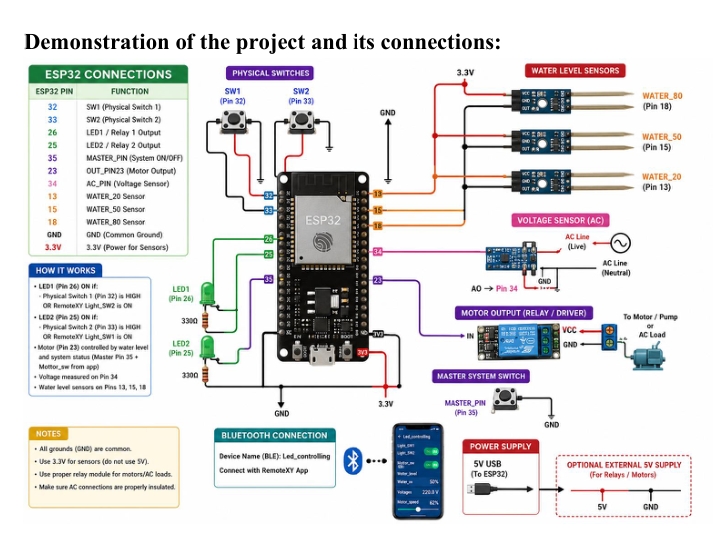
This project presents the design and implementation of a Smart Home Automation System using the ESP32 Development Board. Bluetooth communication is established with the RemoteXY mobile application, allowing users to wirelessly control household appliances using their smartphones. Two lighting loads are controlled through both manual push buttons and the mobile application, providing flexibility and ensuring system reliability. In addition to appliance control.
digital qater Level management system
The system features an automatic water tank management function. Water level sensing wires monitor the water level inside the storage tank. The motor automatically starts when the water level drops below a set point and stops once the tank reaches the predefined maximum level. This automation reduces the need for human intervention and prevents overflow. Additionally, the project showcases analog signal processing through AC voltage measurement.
Components involved
Components used in Home Automation
This project contain two phases i.e. The Software Phase and The Hardware Phase.
Hardware Components
There are several components used in hardware phase of the Home Automation System.
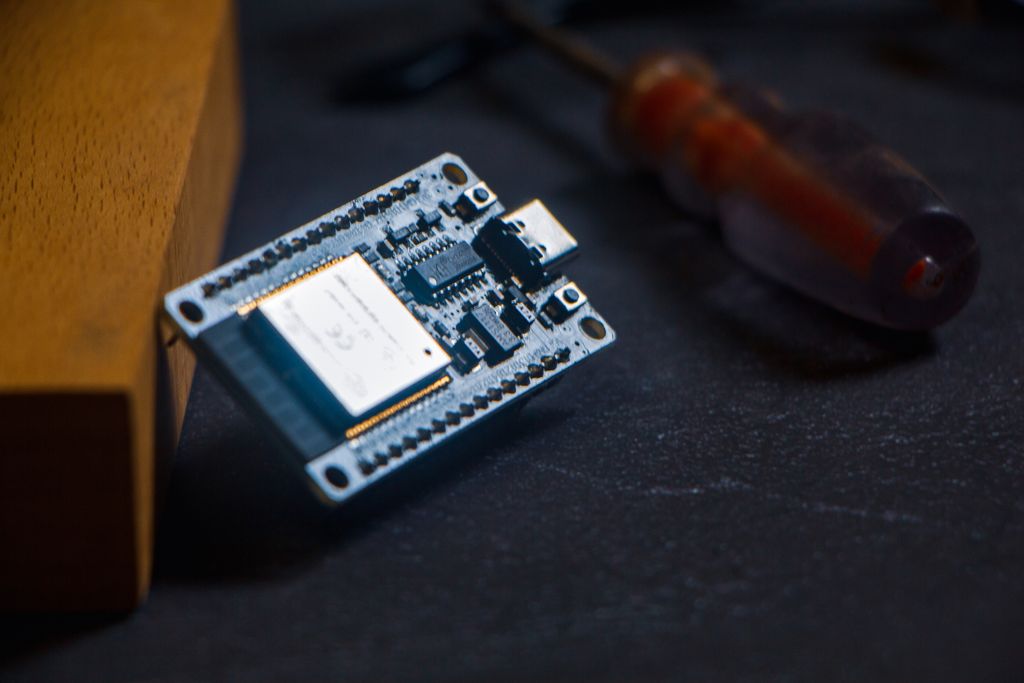
Esp32-Microcontroller(Microcontrollers)
The Esp32 is the microcontroller which is used to control all the activities of the system it receives messages from the sensors and perform actions according to the commands/program written on it.
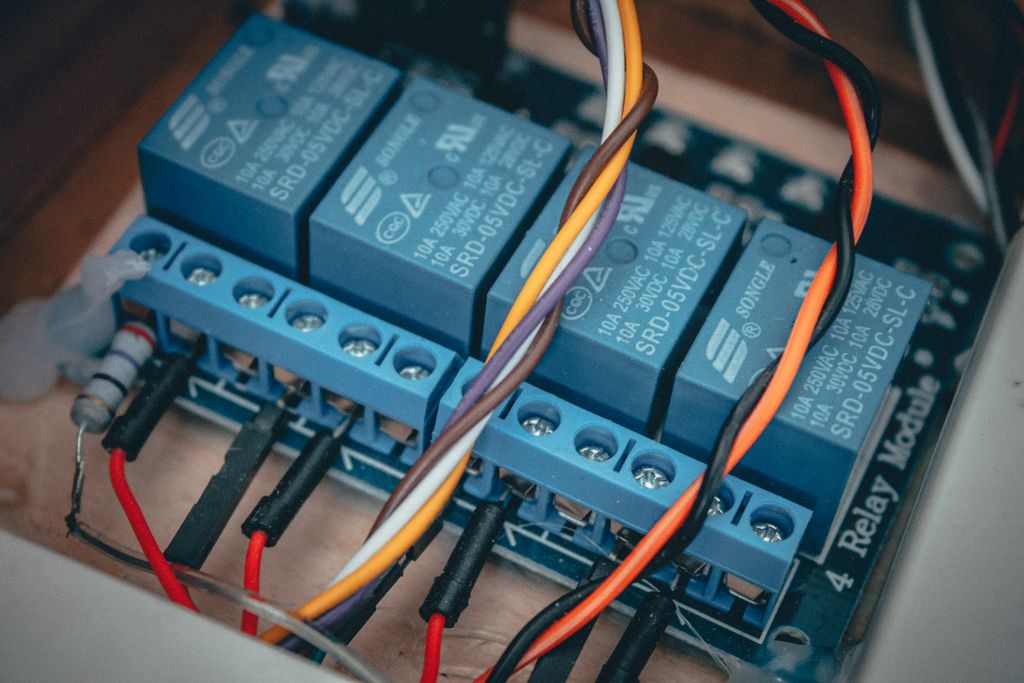
Relay Module
It is an electronic device which is used for the switching like the switching between the AC and DC voltage. Its function in Home automation is that it help the system/Microcontroller to control the AC appliance through remotely or with the help of DC component.
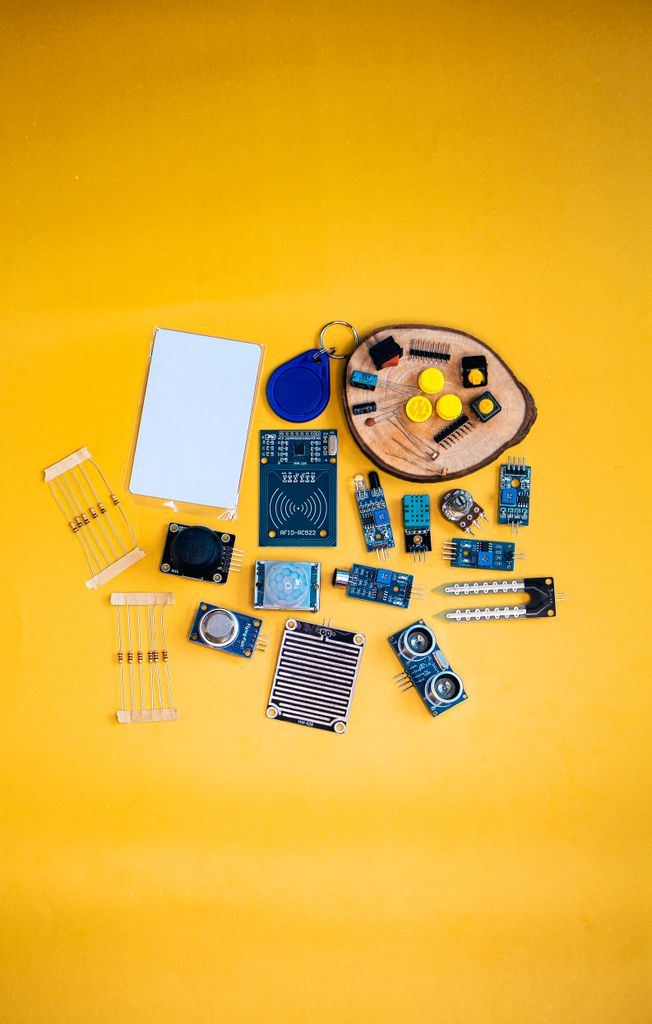
Sensors
Sensors are the main part or the system which receive data in the form of electrical signal and transmit the signals to the microcontroller after that the microcontroller read the signals and perform actions according to it.in home automation several sensors are used i.e. Water level sensor and Voltage sensor.
Water level sensor function in Home Automation.
Water level sensing wires detect the water level inside the storage tank. The motor automatically starts when the water level becomes low and stops when the tank reaches the predefined maximum level. This automation minimizes human intervention and prevents overflow. The project also demonstrates analog signal processing through AC voltage measurement.
AC Voltage sensor
An AC voltage sensor continuously monitors the mains voltage and produces an analog output proportional to the supply voltage. The ESP32 microcontroller converts this analog signal into digital data using its built-in 12-bit ADC. Multiple samples are processed to remove noise and calculate the RMS voltage accurately. The measured voltage is displayed in real time on the RemoteXY application..
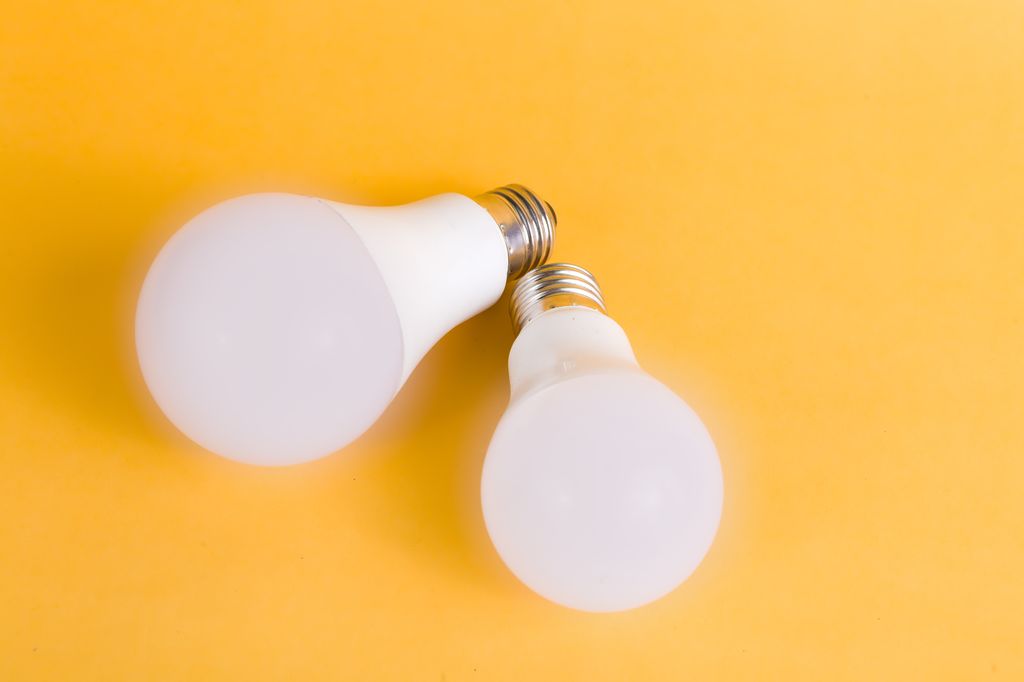
Led Lights/Bulbs
LED lights and bulbs are AC energy-efficient lighting components that provide bright illumination. In our project we will try control them using Mobile phone.
Software used in Home Automation System:
Arduino IDE.
The Arduino IDE is a software which will be used to program an ESP32 after installing the ESP32 board package. The ESP32 is connected to the computer using a USB cable, which creates a virtual COM port through a USB-to-Serial chip (such as CP2102, CH340, or FTDI).
How to connect Esp-32 with Arduino ide?
Here is the step by step process to connect Esp-32 with Arduino IDE.
- Connect the ESP32 to the computer using a USB cable.
- Install the USB driver (if required), such as the CP210x or CH340 driver.
- Install ESP32 board support in the Arduino IDE using the Boards Manager or the ESP32 board package URL.
- Open the Arduino IDE and select:Tools → Board → ESP32 Arduino → your ESP32 model (e.g., ESP32 Dev Module).
- Tools → Port → select the COM port assigned to the ESP32.
- Write or open your Arduino sketch.
- Click Verify to compile the code.
- Click Upload to transfer the program to the ESP32.
- If the upload does not start automatically, press and hold the BOOT button on the ESP32 until the upload begins, then release it.
- Open the Serial Monitor (set the correct baud rate, e.g., 115200 bps) to view output from the ESP32.
RemoteXY.
RemoteXY is a platform which will allow us to create a mobile application interface for controlling and monitoring ESP32 without writing Android or iOS app code. It provides buttons, sliders, switches, joysticks, graphs, and displays that communicate with the ESP32 over Bluetooth, Wi-Fi. After creating the app on the website it will give us access to control it using the mobile phone so for that we just have to scan the code of the app and download the app on to the cell phone
How to create an app for our system?
- Design the mobile interface using the RemoteXY Editor.
- Generate the Arduino code and add it to the Arduino IDE.
- Upload the code to the ESP32.
- Install the RemoteXY app on an Android or iOS device.
- Connect the mobile phone to the ESP32 via Bluetooth or Wi-Fi.
- The mobile app sends commands to the ESP32, and the ESP32 can also send sensor data back to the app for display.
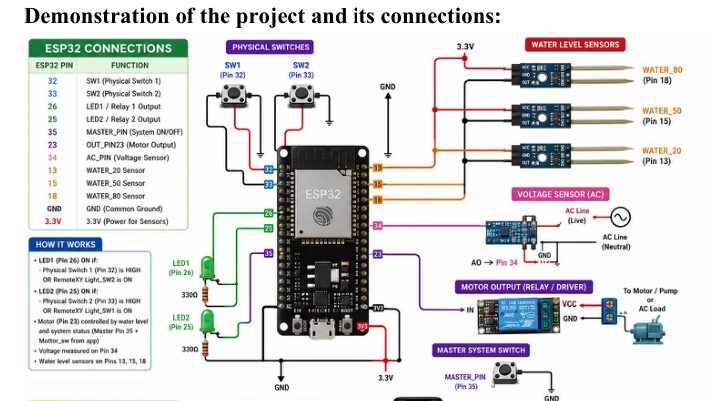
Circuit Diagram and Prototype of Home Automation system